Mastering Success and Error Message UX
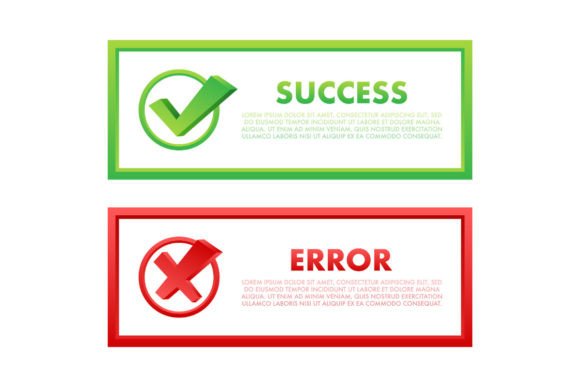
In the digital landscape, silence is rarely golden. When a user clicks a button, submits a form, or uploads a file, they are waiting for a response. That split-second interaction defines their trust in your platform. This is where well-crafted Success and Error Message. Approved elements become critical components of your user interface design. These are not merely decorative icons; they are essential communication tools that guide users through complex workflows, reduce anxiety, and confirm actions with clarity.
Whether you are a freelancer building a client portal, a marketer designing a landing page, or an entrepreneur launching a new app, the way you handle feedback determines whether a user feels empowered or frustrated. High-quality notification message boxes serve as the bridge between human intent and system response. By utilizing professional-grade assets, such as editable EPS files and high-resolution JPGs, you ensure that this bridge is sturdy, clear, and visually consistent with your brand identity.
The Psychology of Immediate Feedback
Human-computer interaction relies heavily on immediate feedback loops. When a user performs an action, they need to know three things: did it work, did it fail, and what happens next? A vague or missing response creates cognitive load. Users begin to wonder if they should click again, refresh the page, or abandon the task entirely. This uncertainty is the enemy of conversion and engagement.
Implementing distinct Approved and Rejected UX web elements solves this problem by providing instant visual confirmation. A green checkmark or a "Success" banner releases dopamine, signaling completion and progress. Conversely, a clear error message with a red alert icon prevents further mistakes by highlighting exactly what went wrong. The key is not just to show an error, but to make it helpful. A good error message explains the issue and suggests a fix, turning a potential roadblock into a minor detour.
Why Quality Assets Matter in UI Design
You might wonder why you shouldn’t just use default browser alerts or free clipart. The answer lies in professionalism and scalability. Default alerts are intrusive and break the immersive experience of modern web design. Free clipart often lacks consistency in style, color weight, and resolution, making your interface look disjointed.
Investing in a dedicated set of Notification message boxes offers several tangible benefits:
- Visual Consistency: Professional sets ensure that your success, error, warning, and info messages share the same line weight, color palette, and stylistic nuances. This coherence strengthens your brand identity.
- High Resolution: With assets provided at 300 dpi and 3000 pixels, your icons remain crisp on retina displays and large monitors. Blurry icons scream "amateur," while sharp vectors convey quality and attention to detail.
- Editability: Having access to EPS 10 editable files means you are not stuck with predefined colors. You can tweak the hex codes to match your specific brand guidelines perfectly, ensuring seamless integration into your existing design system.
Practical Applications Across Industries
The utility of these UX elements extends far beyond simple contact forms. Here is how different professionals can leverage high-quality success and error messages:
E-Commerce and Retail
For online store owners, the checkout process is fraught with potential friction. If a credit card is declined, a generic "Error" message causes cart abandonment. A specific, well-designed error box stating "Card Declined: Please check expiration date" keeps the user engaged. Similarly, when an order is placed, a prominent "Success: Order Confirmed" message with a clear transaction ID reduces customer support inquiries significantly.
SaaS and Web Applications
Software-as-a-Service platforms rely on complex user inputs. When a user saves a project, updates their profile, or invites a team member, they need reassurance. Using standardized Approved and Success indicators ensures that users feel confident their data is secure. For educators using learning management systems, clear feedback on quiz submissions or assignment uploads helps students track their progress without confusion.
Corporate Internal Tools
Even internal dashboards benefit from polished UX. HR portals, inventory management systems, and CRM tools are used daily by employees. Clear error messages reduce training time and frustration. If an employee tries to upload an unsupported file format, a clear rejection message with an icon helps them correct the mistake instantly, boosting overall productivity.
Key Characteristics of Effective Notification Boxes
Not all notification elements are created equal. When evaluating or implementing your Success and Error Message. Approved assets, look for these critical traits:
- Clarity: The iconography must be universally understood. A checkmark for success and an 'X' or exclamation point for errors are standard for a reason. Do not reinvent the wheel with abstract symbols that require interpretation.
- Color Coding: Use established color psychology. Green or blue for success, red for errors, yellow or orange for warnings. This allows users to scan the screen and understand the status before even reading the text.
- Conciseness: The accompanying text should be brief. "Saved successfully" is better than "The system has successfully saved your changes to the database."
- Placement: Ensure the design allows for flexible placement. Toast notifications (temporary pop-ups) work well for minor successes, while inline messages are better for form validation errors.
Enhancing User Experience Through Detail
The difference between a good product and a great one often lies in the micro-interactions. When you use high-quality, editable vector assets, you gain the flexibility to animate these elements. Imagine a success checkmark that draws itself upon completion, or an error shake effect that draws attention to the problematic field. These subtle motions, supported by clean underlying graphics, create a delightful user experience that feels responsive and alive.
Moreover, accessibility is paramount. Ensure that your chosen colors have sufficient contrast against the background. The icons should be accompanied by text labels for screen readers, ensuring that visually impaired users receive the same feedback as sighted users. A well-designed notification system is inclusive by default.
Making the Right Choice for Your Project
When selecting your UI kit, consider the long-term maintenance of your design. A package that includes both JPG and EPS formats offers the best of both worlds. Use the JPGs for quick prototypes or static presentations, and rely on the EPS files for final development where scalability and color customization are required. This dual-format approach saves time and resources during the handoff between designers and developers.
Remember, every message box is an opportunity to reinforce your brand’s voice. Is your brand playful? Maybe your success message includes a cheerful icon. Is it serious and corporate? Stick to clean, minimal lines. The assets you choose should reflect this tone. By investing in versatile, high-resolution Notification message boxes, you are not just buying icons; you are investing in clearer communication, higher user satisfaction, and a more professional digital presence.
Ultimately, the goal is to make technology feel invisible. When success and error messages are handled with precision and care, users stop noticing the interface and start focusing on their tasks. That is the hallmark of exceptional UX design.